Every instrument, its own part
Turn a full band score into a clean sheet for every player. Import photos or a PDF, and ScoreSplit makes the Vocal, Guitar, Bass and Drums parts for you.
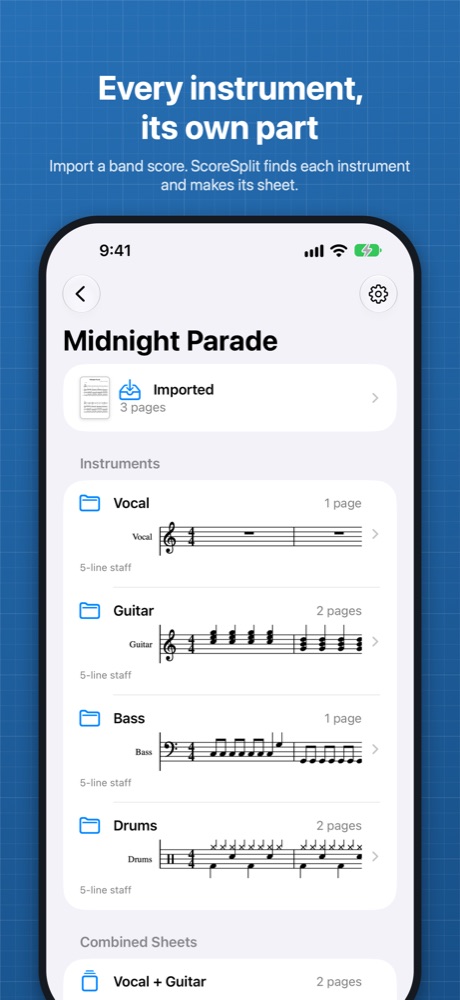
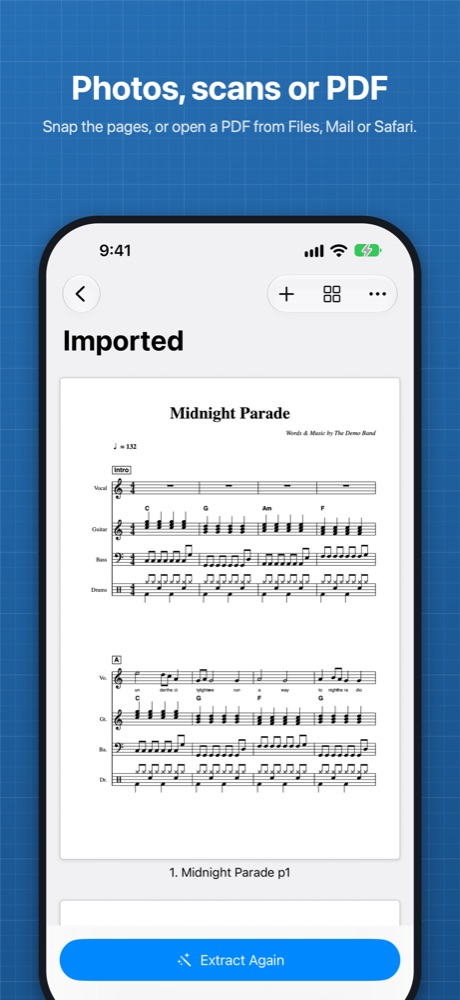
A band score prints every part on every page: vocal, guitars, bass, keys and drums stacked in each system. That's what the arranger needs, but on stage you only need your own line. ScoreSplit finds each instrument's staves and lays them out again on clean pages, so you get a part you can actually read.
How it works
- Scan the pages with the camera: ScoreSplit finds the corners of the paper, crops and straightens each page. Or choose them from your photo library, or open a PDF from Files, Mail or Safari.
- ScoreSplit finds the staves in each system and reads the instrument names printed beside them (English and Japanese).
- Each instrument gets its own set of pages, ready to view, share or export as a PDF.
Keeps what matters
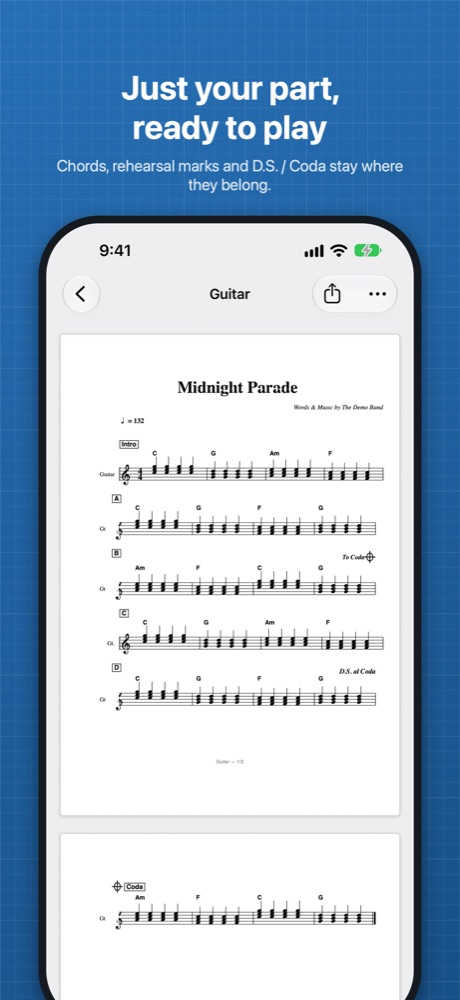
- The song title, tempo, chord names and rehearsal marks appear on every part.
- Navigation marks such as D.S., D.C., Segno, Coda, To Coda and Fine stay on every part, so the road map still works.
- Lyrics stay with the vocal line.
- Standard notation and 4- and 6-line TAB are supported.
- Show or hide chord diagrams, separately for guitar parts and other parts.
Combined sheets
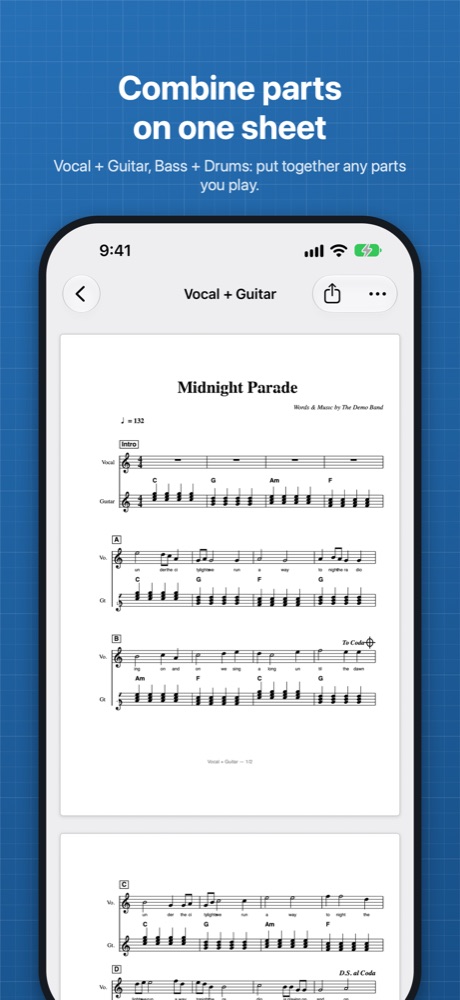
Want the vocal line above your guitar, or bass and drums together? Put any instruments on the same pages, with their staves shown together in each system, just like the original.
Organize your songs
- Keep every song in one library, with its imported pages and all its parts.
- Add, remove or reorder pages, then extract again.
- Rename parts, and pinch or double-tap to zoom in.
Try it free
Split your first 3 songs for free, with every feature, and keep them. Unlock ScoreSplit Pro once to split unlimited songs on iPhone, iPad, Mac and Apple Vision Pro, with your songs synced through iCloud. No subscription.
Private by design
Everything is processed on your device. No account, no tracking. With Pro, your songs sync through your own iCloud account, nowhere else. See the privacy policy.
Good to know
ScoreSplit copies the notation from your pages; it doesn't read or play back the notes. So each part looks just like your original score. Clear, straight photos or scans give the best results. Please use scores you own or are allowed to copy.
Questions? See Support.
楽器ごとに、自分だけのパート譜
バンドスコアを、メンバーそれぞれのパート譜に。写真やPDFを読み込むだけで、ボーカル・ギター・ベース・ドラムの譜面を自動で作成します。
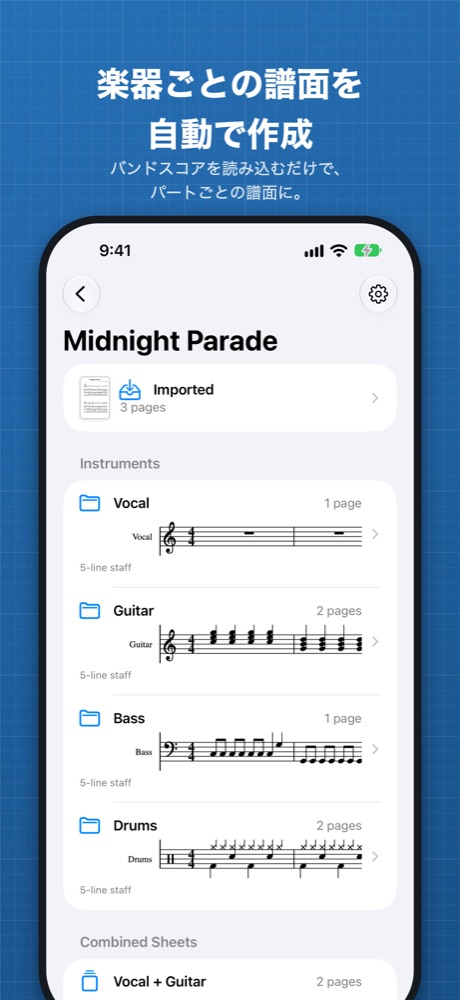
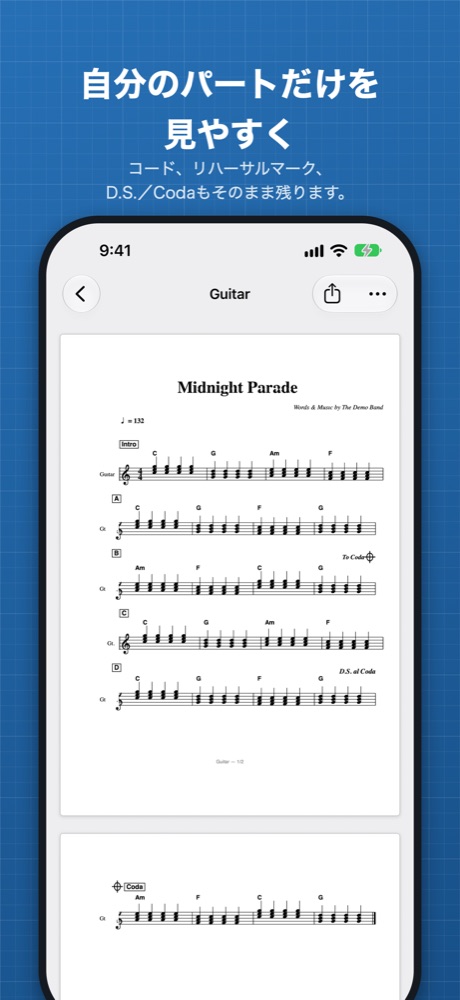
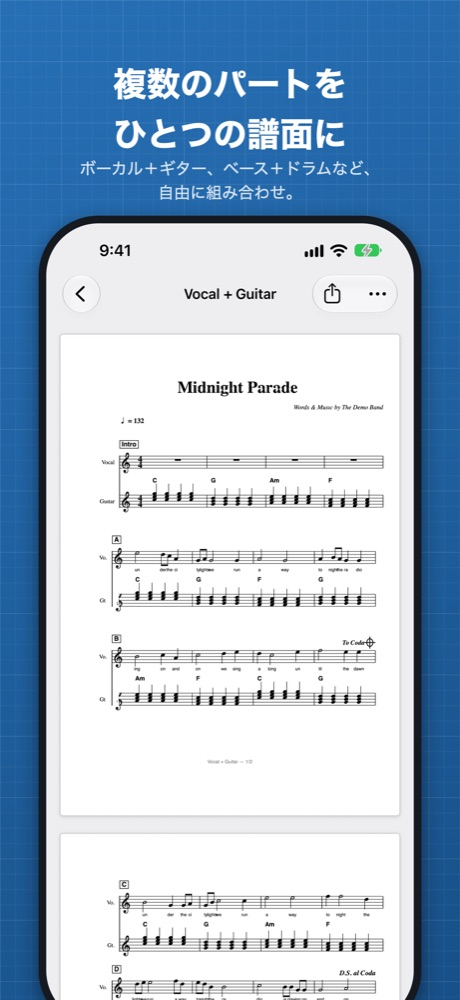
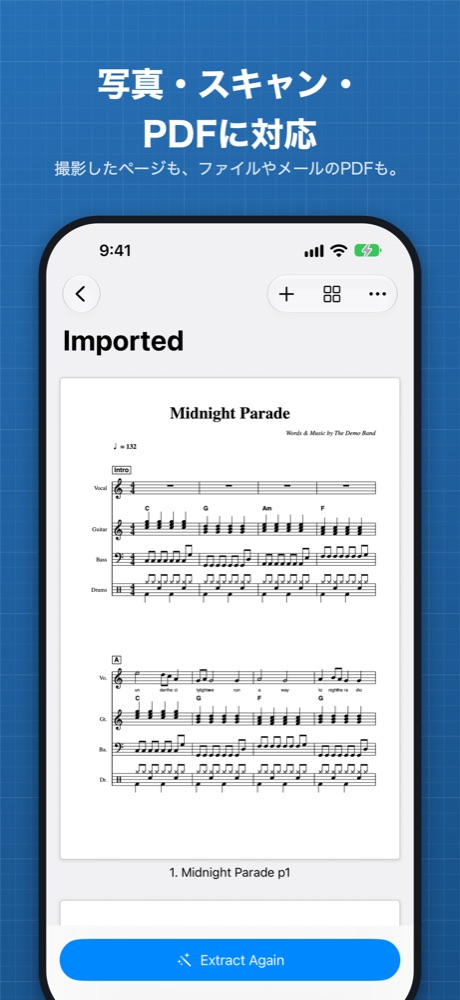
バンドスコアには、ボーカル、ギター、ベース、キーボード、ドラムの全パートが1ページに並んでいます。アレンジには便利ですが、演奏するときに必要なのは自分のパートだけ。ScoreSplitは楽器ごとの段を見つけ出し、見やすいページに並べ直します。
使い方
- カメラでページをスキャン。紙の四隅を見つけて、切り抜きと傾きの補正を自動で行います。写真ライブラリから選んだり、ファイル・メール・SafariからPDFを開いたりもできます。
- 各段の五線を見つけ、左に書かれた楽器名(日本語・英語)を読み取ります。
- 楽器ごとの譜面ができあがり、表示・共有・PDF書き出しができます。
大切な情報はそのまま
- 曲名、テンポ、コードネーム、リハーサルマークはすべてのパートに表示されます。
- D.S.、D.C.、セーニョ、Coda、To Coda、Fineなどの記号も各パートに残るので、曲の進行がわかります。
- 歌詞はボーカルパートに残ります。
- 五線譜のほか、4弦・6弦のTAB譜にも対応しています。
- コードダイアグラムの表示/非表示は、ギターパートとその他のパートで別々に設定できます。
パートの組み合わせ
ボーカルの上にギターを並べたい、ベースとドラムを一緒に見たい。そんなときは、好きな楽器を同じページにまとめられます。元のスコアと同じように、各段で一緒に表示されます。
曲の管理
- 曲ごとに、読み込んだページとすべてのパート譜をまとめて保存。
- ページの追加・削除・並べ替えをして、もう一度作成できます。
- パート名の変更や、ピンチ・ダブルタップでの拡大もできます。
無料でお試し
最初の3曲は、すべての機能を無料で使えます。作成したパート譜はそのまま使い続けられます。ScoreSplit Proを一度購入すれば、iPhone、iPad、Mac、Apple Vision Proで曲数無制限、曲はiCloudで同期されます。サブスクリプションではありません。
プライバシー
処理はすべて端末の中で行われます。アカウント不要、トラッキングなし。Proでは、曲はご自身のiCloudアカウントでのみ同期されます。プライバシーポリシーをご覧ください。
ご注意
ScoreSplitは譜面をそのまま写し取るため、音符を読み取ったり再生したりはしません。そのぶん、元のスコアと同じ見た目のパート譜になります。まっすぐ、はっきり撮影・スキャンしたページほどきれいに仕上がります。ご自身が所有している、または複製が認められているスコアでお使いください。
ご質問はサポートをご覧ください。